Hint,
don’t guess

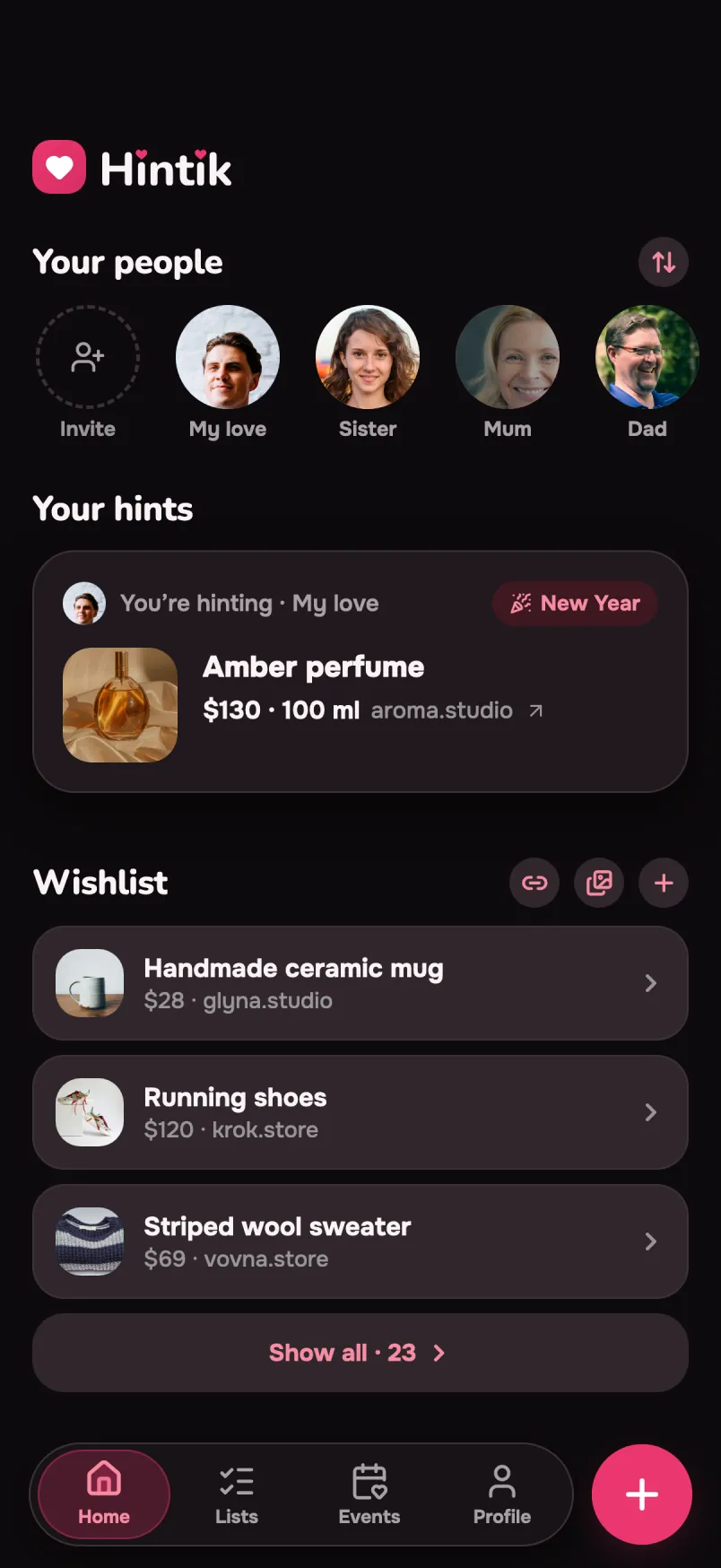
An app for private gift hints. You hint to someone close — and no more “what should I get you?”. The hint is the heart of it: straight to the person who’ll be giving it.

Free to use. Pro is a one-time purchase — no subscription.

iOS · Android23 languagesNo subscriptions or ads

Hintik home screen: your people, your hint and your wishlist
9:41

How do you hint at something you like?

Send a link into the chat? “Oh nice” — and by evening it’s under the memes.
Say it straight? Then it’s not a gift any more, it’s an order.
Add it to a wishlist? A list waits until someone opens it. Usually the night before.

Hintik has lists too — exactly where they really work: a housewarming, a wedding, a kid’s birthday. A shared list where you can see what’s already taken.

But when the thing is specific and the person is specific — that’s a hint.

Straight to them, with the size and the colour. And they see it exactly when they need to.

You spot a thing — three ways not to lose it

Hint at it to someone, keep it for yourself, or write it down as an idea for another person. The choice comes right after “+”.

What are we adding?
Hint to someone — or keep it for yourself
Hint at itTo one of your people — they will see it and know
To your wishlistA note to yourself, no recipient yet
An idea for someoneYou noticed what they want — write it down before you forget

Marta spotted a mug in her favorite shop. Tapped “Share” — and hinted. Three months later, she unwrapped that exact one. Nobody ever asked, “what should I get you?”.

That’s how it works. Three steps — and the gift lands.

Hinting takes 10 seconds

No “for everyone” wishlists, no awkward conversations. Just hint.

1

Spot it, share it

Drop a link to the thing straight from your browser’s “Share” menu — Hintik pulls in the name and price for you. Or add a hint with the “+” button.

2

Hint to someone

Addressed to one specific person close to you — not a “list for everyone”. A thing with a link, or an experience: a concert, dinner, a trip for two.

3

The secret holds

Whoever’s giving privately marks it “bought”. You never see that. The surprise stays a surprise until you unwrap it.

Spot the thing —
hint

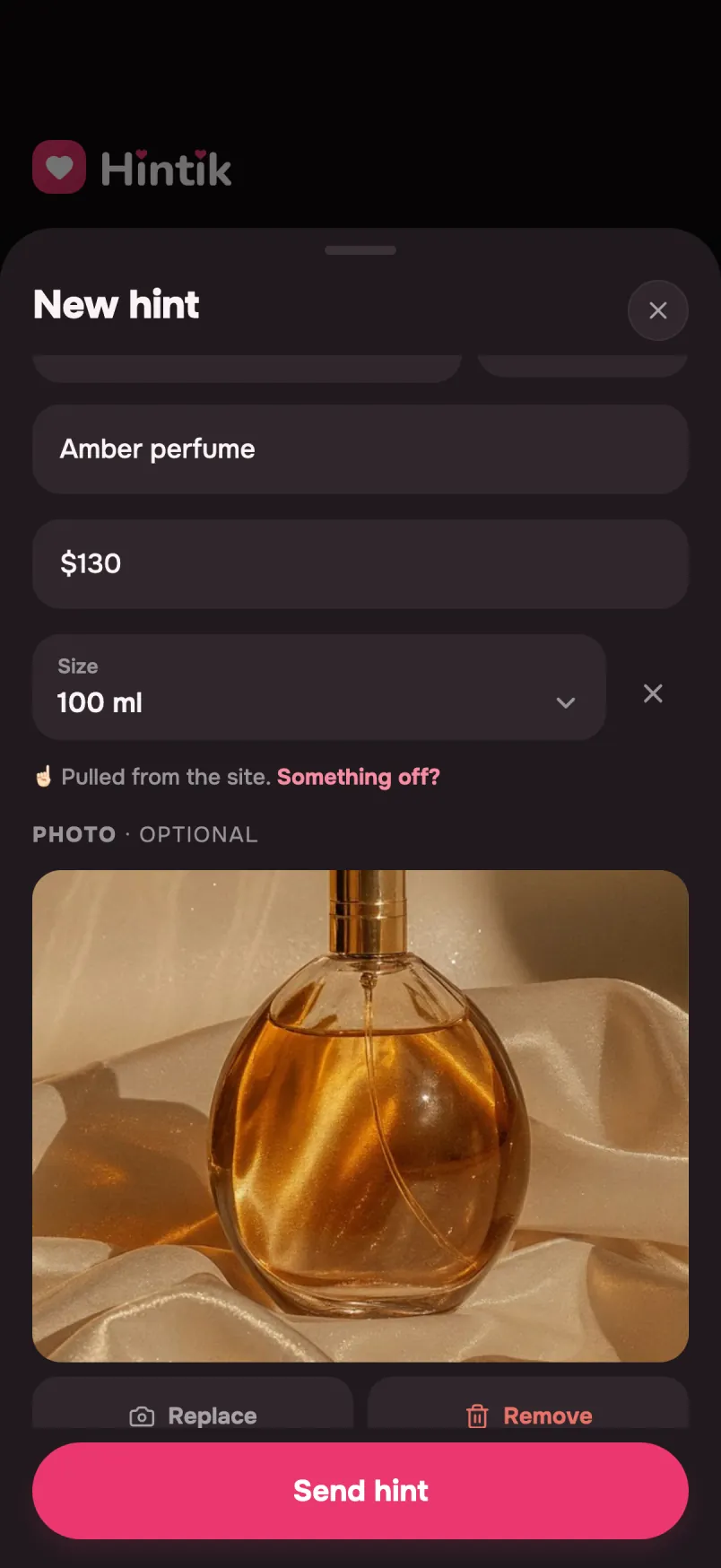
Spotted something you like in the browser? Drop the link into “Share” — Hintik opens the form and pulls in the name and price itself. All that’s left is picking who you’re hinting to.

  • Thing or experience. A specific thing with a link — or an experience: a concert, dinner, a trip for two.
  • Always editable. Whatever gets pulled from the link, you can fix by hand — the name, the price, anything.
New hint form: title, price and photo pulled from the link
9:41

The surprise stays
a surprise

Someone’s already preparing a gift for you — and you have no idea. Whoever’s giving it keeps it quietly to themselves: you won’t see a clue, not a hint. The surprise survives all the way to the unwrapping.

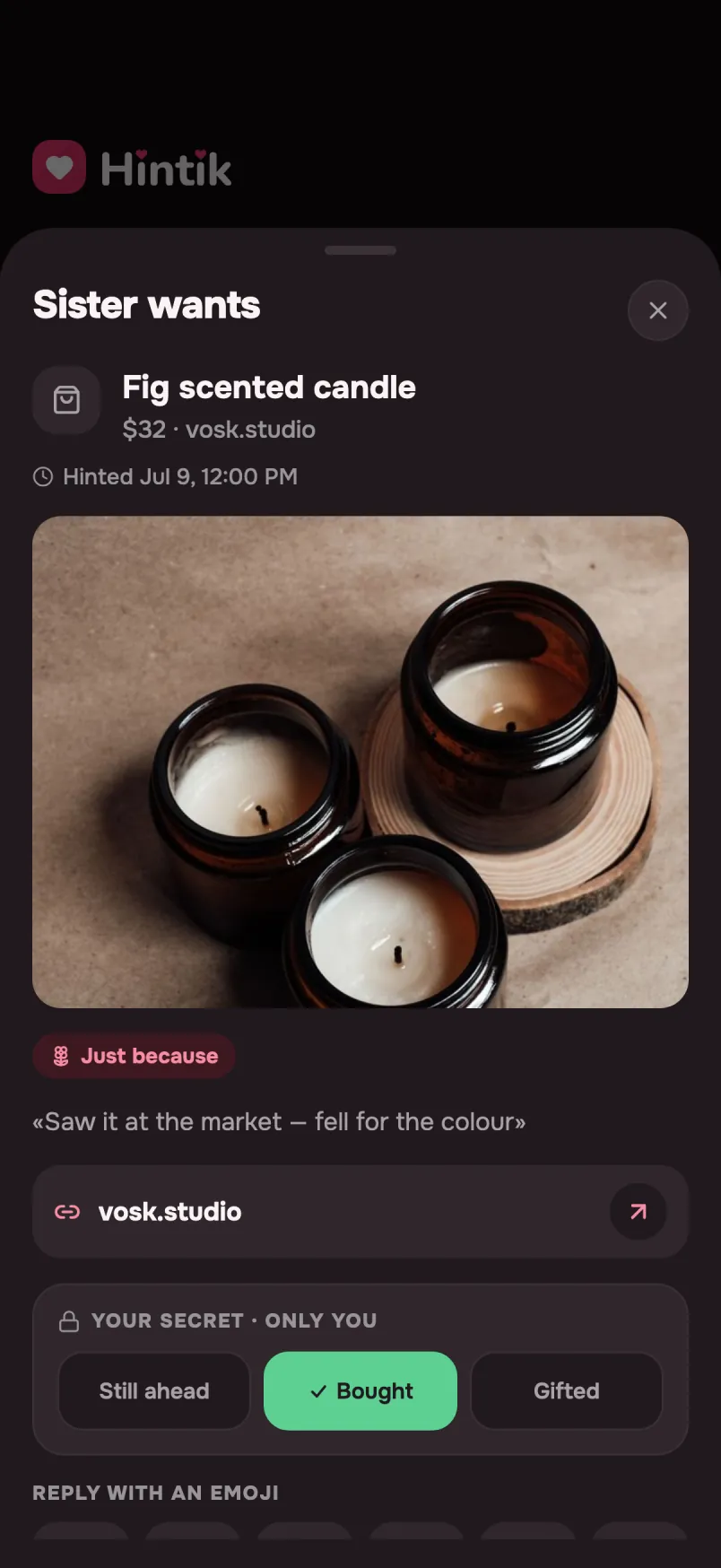
  • You can’t peek, even if you wanted to. That the gift is already bought — only the giver sees that. For you, there’s no trace.
  • Your feed won’t give it away. The moment a hint is done, it quietly fades and disappears — no spoilers before the big day.
  • Not just on trust. The giver’s secret is protected on a technical level — not by some button you could accidentally tap.
Your sister's hint marked “Bought”, which only you can see
9:41
“Your secret · only you”: Planned ahead, Bought, Given

Listen, then jot it down

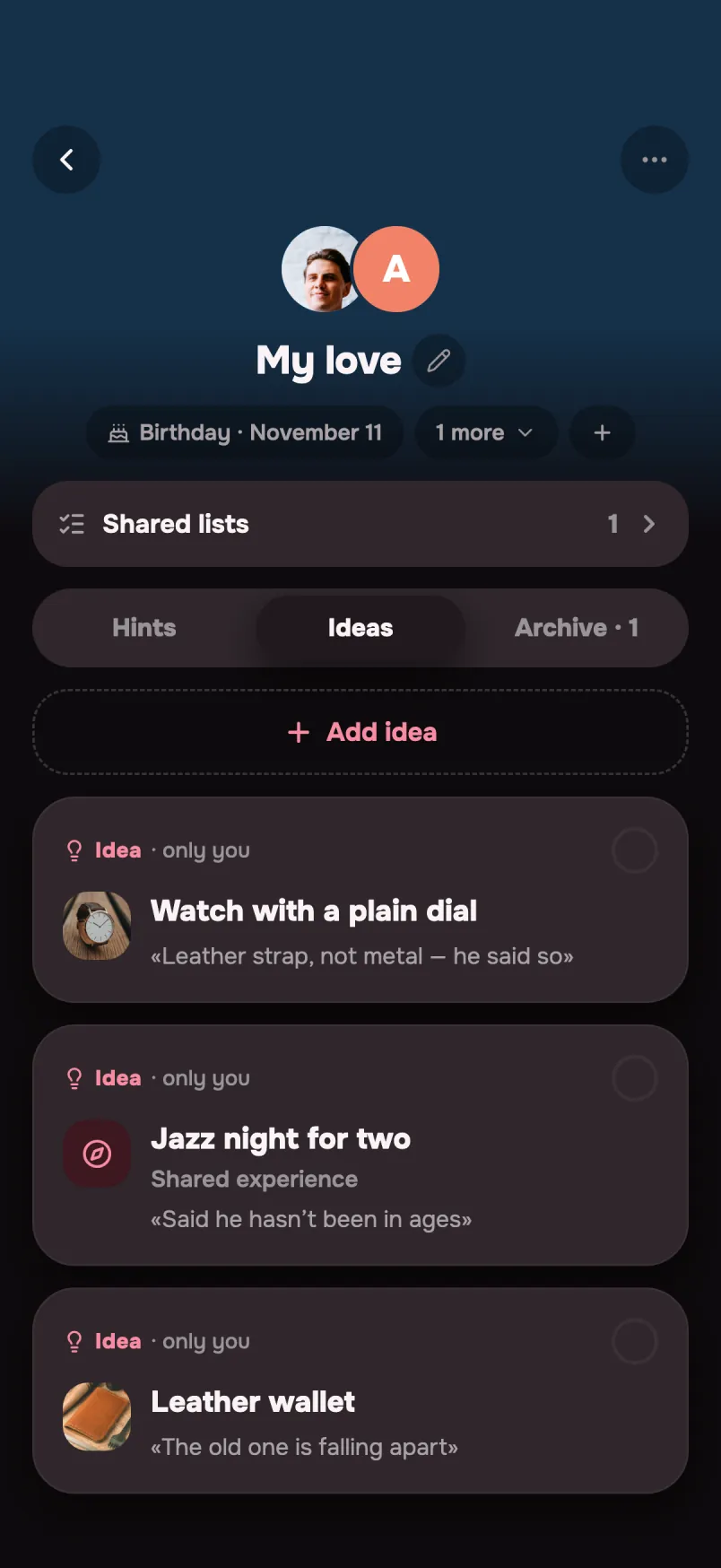
Someone complimented a scarf, mentioned their shoe size or favorite color? Jot it into your secret cheat sheet — private ideas about a person that only you can see. No pressure to actually gift it — just so you don’t forget.

  • Only you can see this. The cheat sheet is private — the person will never know what you’re noting down.
  • Size, color, a link. The little details that are easy to forget — right there when the occasion comes.
Ideas about a person that only you can see
9:41

Your hints —
right at hand

Everything you’re already hinting at — in one list: you can see who and what. But whether it’s already bought — you can’t see that either. The surprise stays a surprise on both sides.

  • Nothing gets lost. Drop a hint — and it stays put until the occasion arrives.
  • You’re in for a surprise too. Only the giver sees the status — even you don’t.
Your hints and your wishlist on the home screen

One link —
and the question is gone

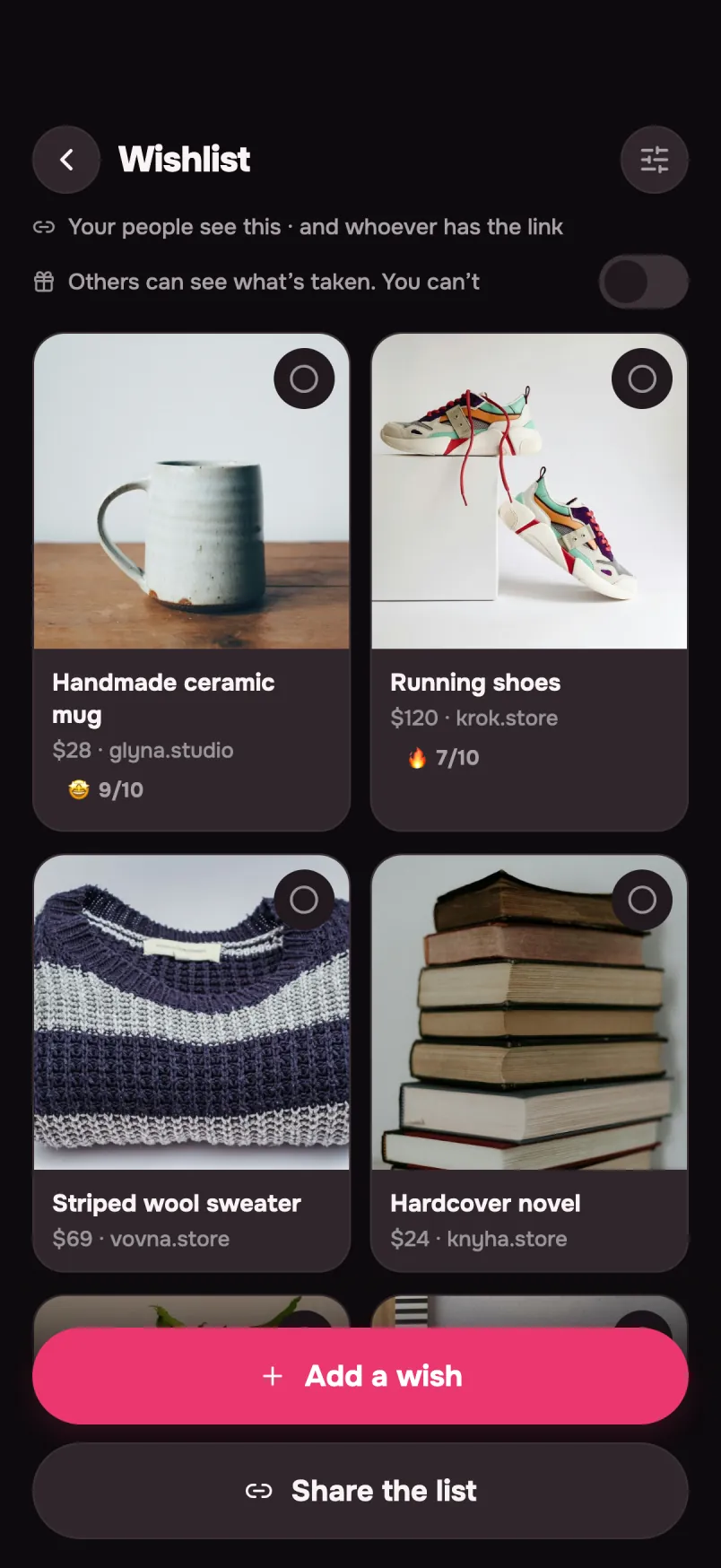
Not everyone will install an app for your birthday. So your wishlist opens as an ordinary link — in any browser, no sign-up. Drop it in a chat, a story or your bio.

  • Read-only. Whoever opens it sees the list and nothing else. They can't edit it, reserve anything or message you from there.
  • You decide how long it lives. An hour, a day, a week, a month — or no limit. Turn it off whenever you like and the page goes dark that same second.
  • Not everything on show. Individual wishes can be hidden from the link: they stay on your list, but only you see them.
Wishlist with photos of the items
9:41

Shared lists

A housewarming or a joint gift — one list you keep together, not each on your own.

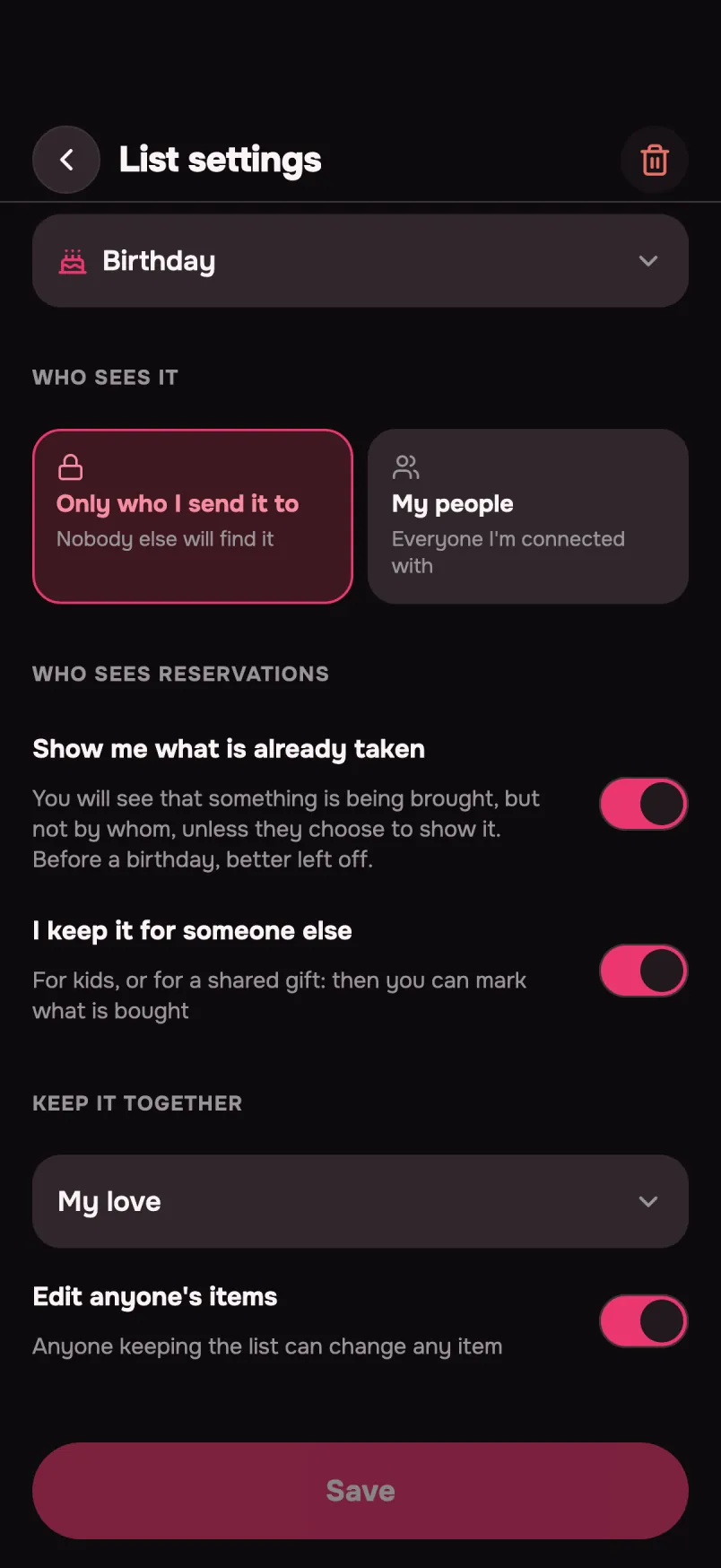
  • Show me what is already taken. You will see that something is being brought, but not by whom — unless they choose to show it. For a birthday, better left off.
  • We keep it for someone else. For kids, or for a shared gift — then you can mark what is bought
  • Edit anyone's items. Anyone keeping the list can change any item
Shared list settings: who sees it, what's already taken, who it's for
9:41

The little things that matter

A hint that waits

Hint to someone who isn’t even on the app yet. The hint arrives the moment they join through your invite.

Events & reminders

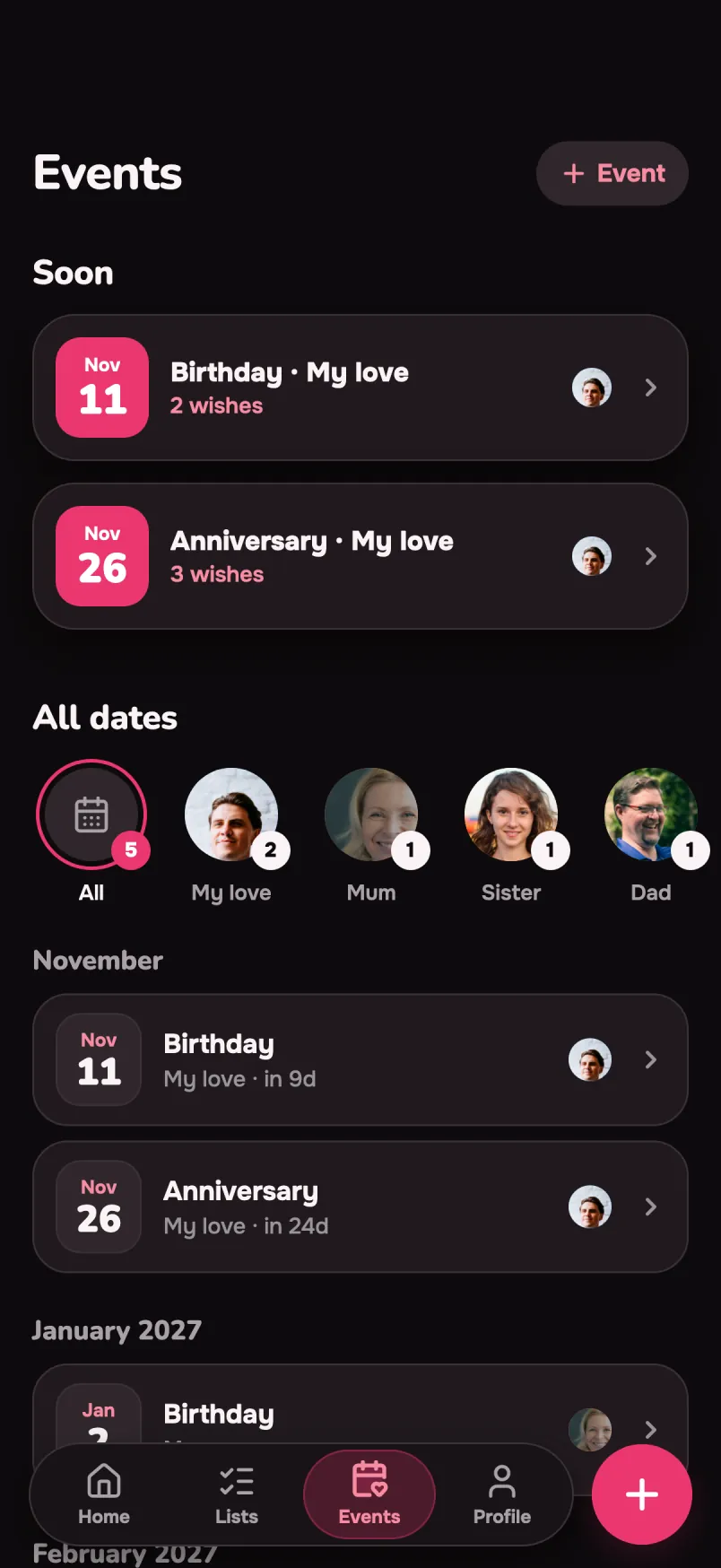
Birthdays, anniversaries, holidays, and your own custom events. A heads-up a few days before — with everything you already know about the gift.

Events: birthdays and anniversaries of your people under “Soon”
9:41

What is free, and what is Pro

Free to use. Pro is a one-time purchase — no subscription.

Free core, forever

  • Hints for things and experiences
  • Unlimited people
  • Your own wishlist and its public link
  • The 👍 reaction
  • “Seen” and “gift arrived”
  • The wish lists of people in your space and marking what you’re getting

The first five photos are free.

Pro

What you get with Pro

A one-time purchase, no subscription. Here’s everything it unlocks.

Size, volume, colour

One product, ten price tags: 30 ml and 100 ml, S and XL, the black one and the black one that’s sold out. Hintik reads the list straight off the shop page; you pick the one you mean, and the price and the photo follow it. And if it was out of stock, whoever goes shopping sees that too.

Photos without a limit

A name and a price say what it is. A photo says which one: that shade, that shape, that label on the box. One shot, and the giver stops guessing between ten lookalikes. Tap the photo to open it full screen. The first five are free; after that it’s Pro.

A cheat sheet for each person

You hear the best things not in December, but in the middle of an ordinary conversation. Jot them down right away: a size, a favorite color, a film they’ve been meaning to watch. The notes are private — only you can see them.

Access settings

Who sees the list at all: everyone you’re connected with, or only the people you send it to. Whether you get to see what’s already taken. Whether you’re keeping the list for someone else — for the kids, or for a joint gift. What stays yours alone. And how long the public link lives: an hour, a day, a week or a month — for free it lives with no limit.

Shared lists

A housewarming, a wedding, a joint gift — a list several people keep, not one. Everyone adds wishes, everyone can send it to their own people, and you can see who added what. Only the person who created the list pays.

I want one

You open someone else’s list and see something you want yourself. One tap moves it to your own wishlist — link, price and photo included. The person you took it from never sees it: otherwise they’d work out what they’re getting.

All occasions — and your own

“Birthday” and “Just because” are open to everyone. Pro adds “Anniversary”, “New Year”, “Christmas” — and your own occasions that no list has: a first date, moving in, finishing a thesis.

Shared dates

Creating your own date is free. With Pro you can offer it to the other person: they see the proposal, and if they accept, the date shows up for them too. Remembering the anniversary is no longer one person’s job.

Useful notifications

A gift bought the night before is almost never the right gift. The reminder arrives while there’s still time: a few days before the event, with everything the app already knows. And it arrives even when nobody has hinted — their wishlist, their lists and your own notes are right there.

Unlimited hints

Free keeps just a few active hints at a time. While there’s just one person, that’s plenty. Once there are more — a parent, a partner, a friend — you start choosing who to hint to and who can wait. With Pro there’s no choosing.

The full archive

A hint closes in two cases: it’s done (the gift arrived, the evening happened) or it’s no longer relevant. Both go to the archive. With Pro the whole archive stays open — you can see what you gave last year, and for what occasion.

How much you want it

Three hints in a row look equally important, even though there’s one you truly want. A 1–10 mark clears that up without a single awkward word — and the giver sees it.

Profile personalization

Set your own photo and pick one of eight colors — the one everyone you’re connected to will see you in. In a feed of ten people, you’re spotted at a glance.

Every reaction

A reaction is the only thing the giver can say out loud without giving the secret away. With 👍 alone it only reads as “seen”. With ❤️ 🔥 😍 🙌 🎁 it’s already a conversation. The private status stays sealed either way.
iOS only: Hintik Pro can be shared through Apple Family Sharing — one person buys it, the whole family group gets access.

Time to hint

Give what they actually want — and keep the surprise until the very end.

iOS · Android · iPad